box slider
 fullwidth slider
HP – The BIOS you are installing is older error
- Home
- Solution
- Technology Consulting
- HP – The BIOS you are installing is older error
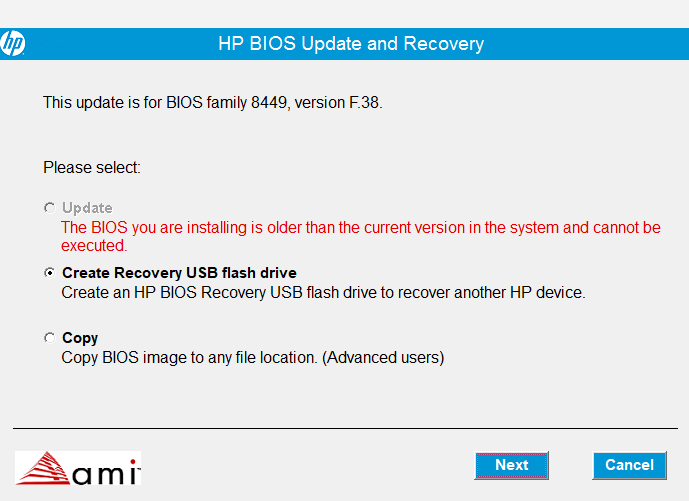
This is an error that unfortunately HP has created for many users, by incorrectly making public a list of BIOS Updates for a specific computer that may have been distributed with different motherboards.
Taking advantage of an older computer with a memory upgrade and SSD, you manage to install and run smoothly Windows 11. You go to HPs website for support and search for the latest BIOS…and you see something like this:
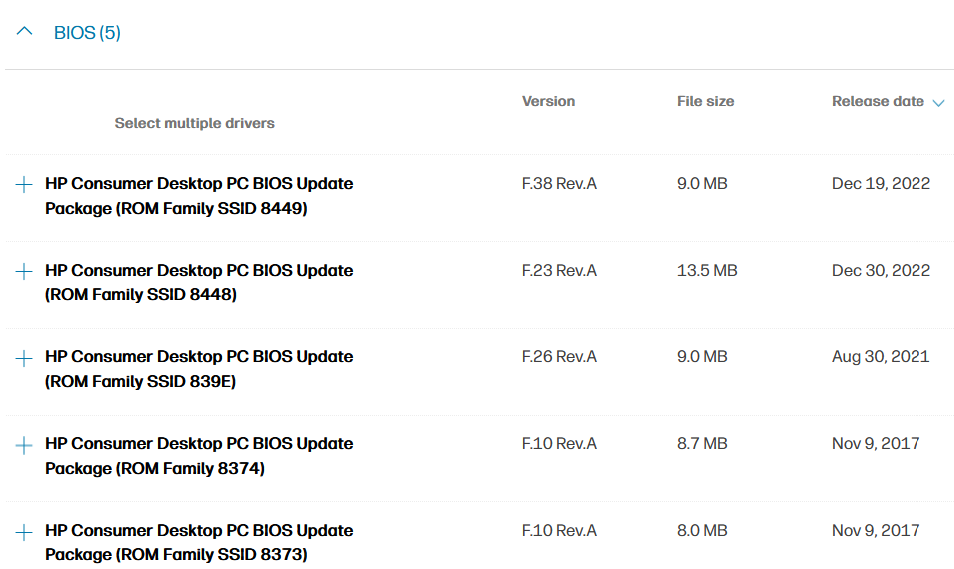
If you notice carefully, all of these updates are displayed on the same page, however, some may not work for your PC and here is why. As an example, let’s find out what motherboard we have. We can use MSINFO32 or an application such as HWiNFO to make a solid determination:
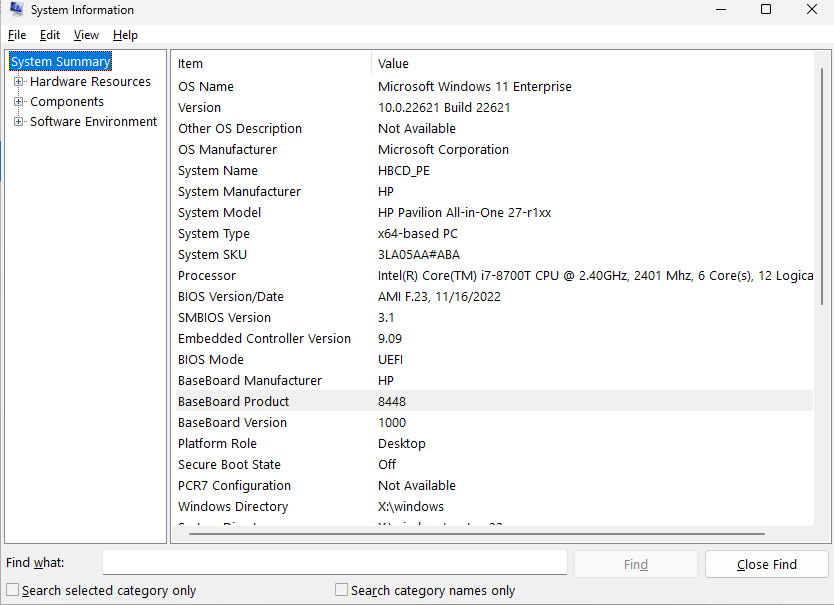
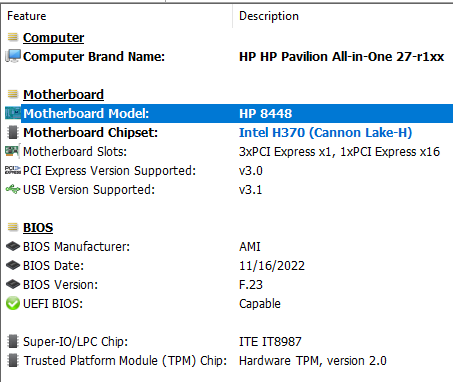
Both applications have confirmed that this Motherboard is an HP 8448, also called the Vulcan-UF. When downloading the BIOS updates in the list above, F.23 REV.A successfully installs, but F38 REV.A fails with the error:
The BIOS you are installing is older than the current version in the system and cannot be
executed.
Let’s analyze why:
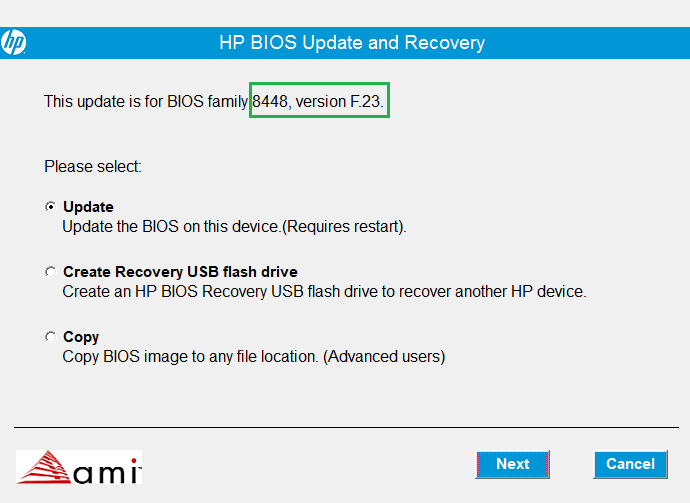
Here is the F.23 Update:
And here is the F38 Update:
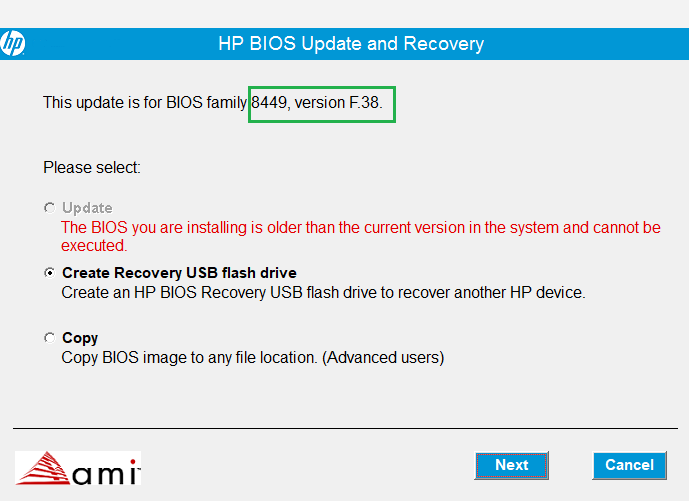
Do you see the difference? Although I am downloading BIOS updates for the HP Pavilion All-in-One – 27-r114, the listed BIOS updates are for different motherboards (8448 – Vulcan-UF vs 8449 – OrionR3-UF). As we confirmed above, the motherboard in my PC is the HP 8448 – so the incompatibility is what causes the error. HP should fix this immediately or at least instruct users better on how to check their motherboard model, and refer them to the correct download.